How to migrate the database structure manually
This topic explains how to migrate your HDS databases for a newer version of PcVue without losing data in the case where the migration is not done automatically at startup.
Depending on the amount of data in your databases, this migration can take a long time.
If your PcVue application takes advantage of multiple HDS databases and/or multiple SQL Server hosts, it is required to apply the following instructions to HDS database on each SQL Server host.
It is strongly recommended that you take a full backup of your databases before launching your application with a new version of PcVue.
Software required
The manual migration requires:
-
The SSMS tool installed on your computer
-
The T-SQL template file named UpgradeDatabase.sql for migrating tables structures
The T-SQL template file can be found in the following folder:
<SVInstallDir>\Bin\
Where <SVInstallDir> is the installation directory of PcVue.
You will have to run the script separately for each HDS database you may have in your project. All Log tables and Trend tables of a particular database are migrated at once when running the provided T-SQL script. The database name is passed as a parameter to the script.
PcVue must not be running while the migration scripts are being executed.
How to migrate tables
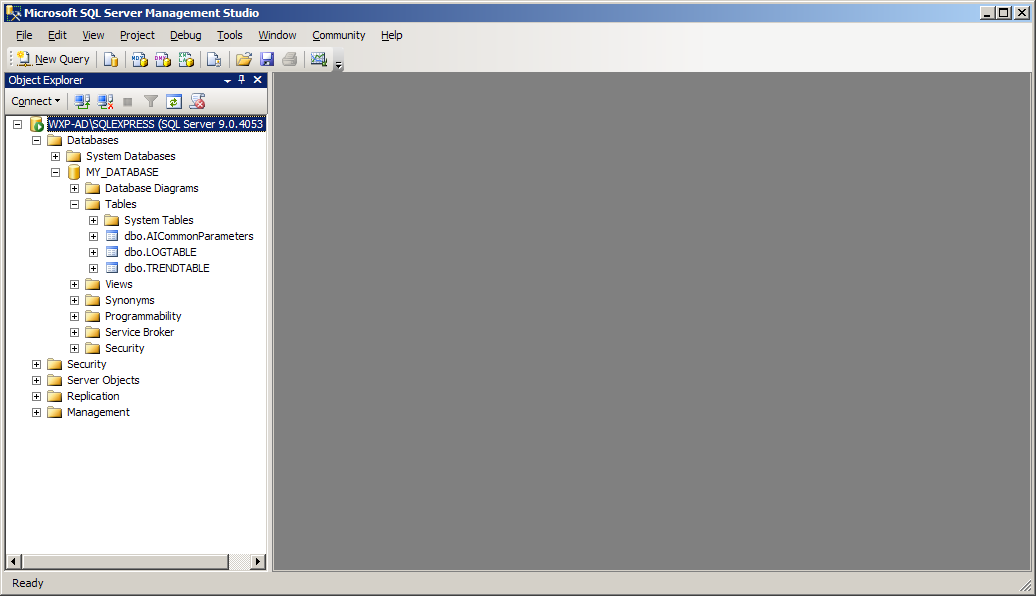
- Launch the SSMS and connect to your database as explained in How to use the SQL Server Management Studio:
 Show picture
 - Expand the Object Explorer tree view and take note of the database name you need to migrate.
-
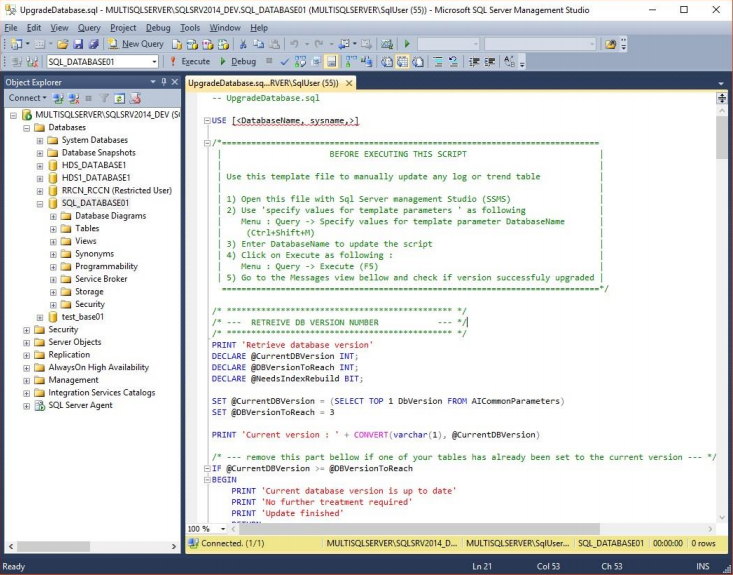
Click on File → Open → File…
- Open the T-SQL script file named UpgradeDatabase.sql. Show picture
-
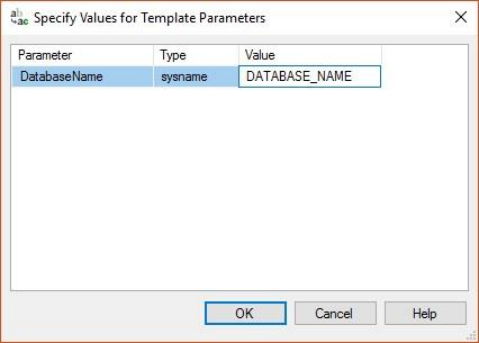
Click on Query → Specify values for template parameters.
Show picture -
Enter the DatabaseName value for the first database you need to migrate and then click the OK button.
-
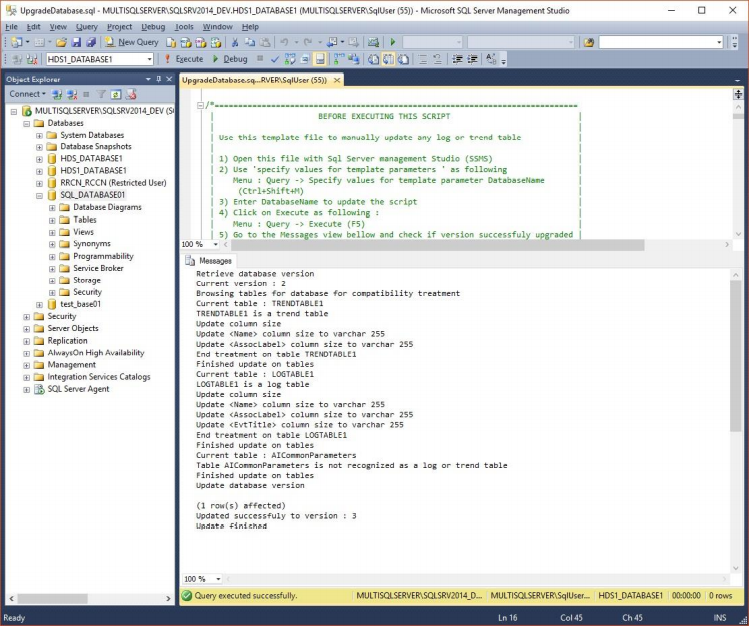
Click on Query → Execute and wait for the script execution to complete.
Show picture -
Check that all the steps succeeded and the migration script completed successfully. In particular, check that all Log and Trend Tables have been processed without error.
-
Re-iterate for the other databases you need to migrate.
If the disk space used by the database has increased significantly, it is recommended that you shrink the database to avoid activating a contingent purge at the next startup of PcVue.