Using cut, copy and paste in the Application Explorer
The cut, copy and paste tasks can be used on many of the configuration items in the Application Explorer and can be a major aid to speed up the development of your application. The cut, copy and paste tasks are particularly useful when configuring variables as you can use them on entire branches including variables and their behaviors.
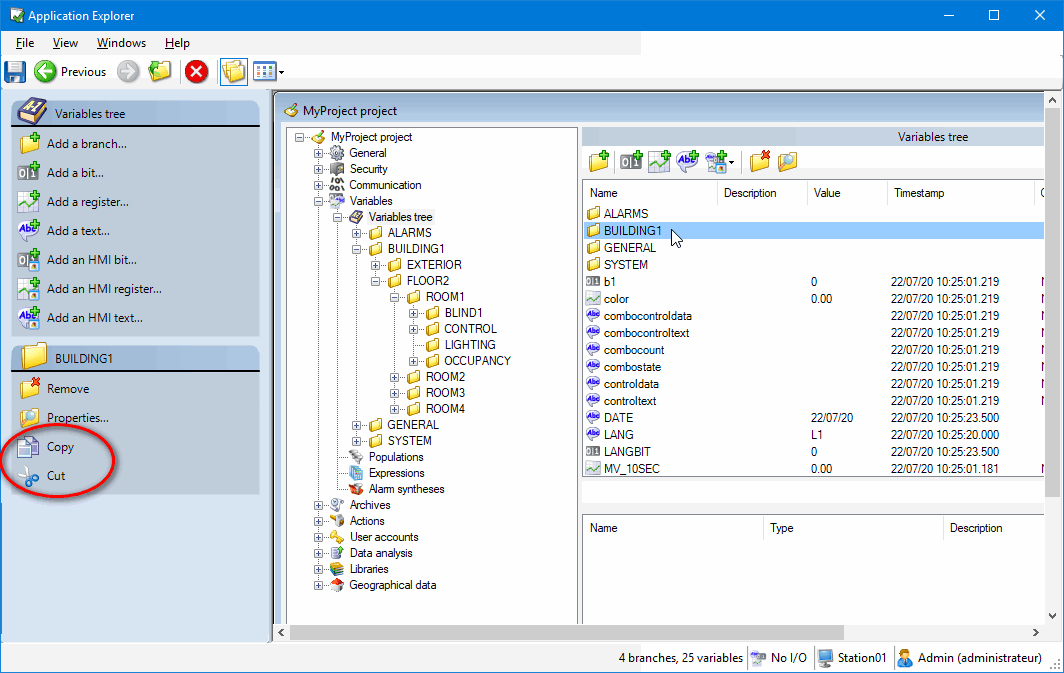
The cut and copy tasks are context sensitive. They only appear in the task pane when the configuration item selected in the contents pane supports them.  Show picture
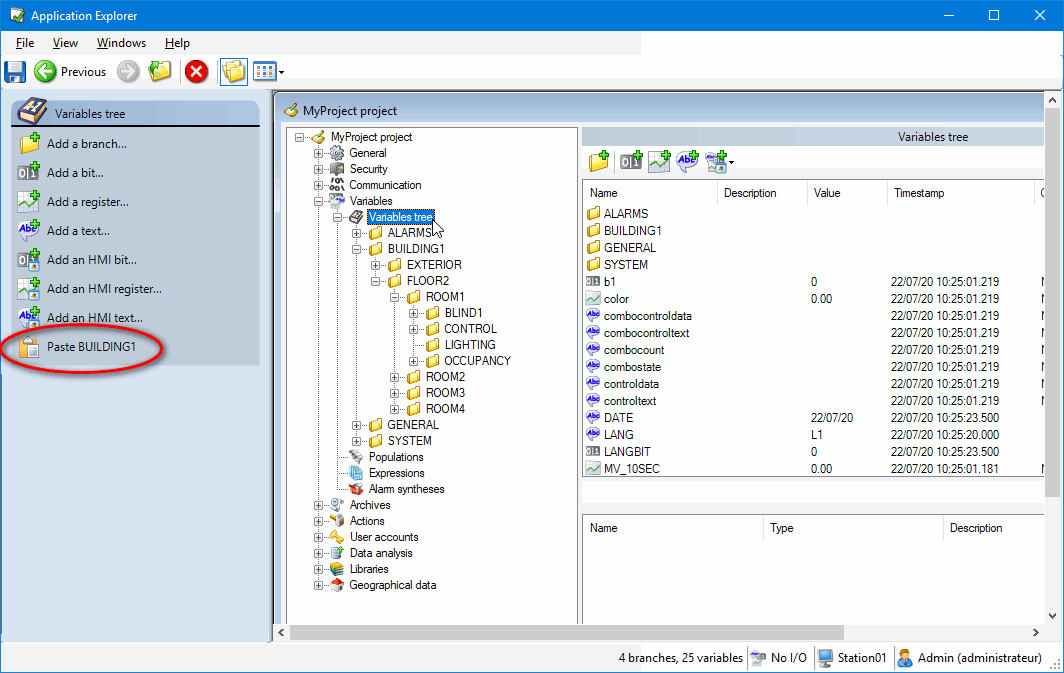
The paste task is also context sensitive. It only appears when the selected folder is relevant for the item in the clipboard. For example if you copy a branch from the variables tree, the paste branch task will only appear when Variables Tree folder, or one of its subordinate branch folders, is selected. Show picture
Cut, copy and paste cannot be used on all Application Explorer configuration items. See the list below for the main items that are supported. For information about the operation of cut, copy and paste for specific configuration items , see the help topics for those items.
Keyboard and context menu shortcuts
When a configuration item supports cut, copy and paste, the usual Windows keyboard shortcuts Ctrl+X, Ctrl+C and Ctrl+V can also be used. The Cut, Copy and Paste commands also appear in the right click (context menu) of supported items.
What happens when I paste a configuration item?
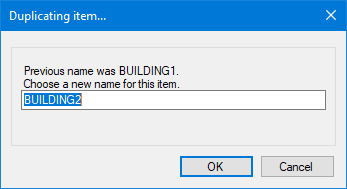
When you paste a configuration item, a new item is created with the same configuration as the item that was cut or copied. The name for the new configuration item is suggested in a dialog that opens during the process of the paste. If, where you are pasting the item, an item of the same name already exists then a new name will be suggested, otherwise the original name will be used. Show picture
Where an item has sub-ordinate items these will be included in the paste. For example, if you copy an OPC Server with two OPC Groups, when you paste to create a new OPC Server, it also will contain two OPC Groups.
Where an item has the name of other items as part of its configuration it may be necessary to make manual changes to the new item after the paste process. For example, with a register that has four dependent threshold variables, you will have to manually change the name of the threshold variables after the paste. This is explained in the help topics for the items concerned.
Reminder about the difference between copy and cut
- Copy makes a copy of the selected configuration item. It can be pasted any number of times.
- Cut makes a copy of the selected configuration item. It can only be pasted once. After the paste, the configuration item that was cut is deleted.
Does PcVue use the Windows clipboard?
During the cut/paste or copy/paste process, the Windows clipboard is used to store the name and type of the item. It is not used to store the entire item's configuration. If you paste the contents of the clipboard into a third party application, Notepad for example, you will simply get the name of the item.
Configuration items that support cut, copy and paste
The following is a list of configuration items and their support for cut, copy and paste. Limitations or restrictions connected to cut, copy and paste of particular items can be found in the help topics for those items.
| General |
Support |
| Domains |
Yes |
| Natures |
Yes |
| Labels |
Yes - Some limitations |
| Line printers |
No |
| File references |
Yes |
| Data connections |
Yes |
| Data acquisition |
Support |
| BACnet |
Yes - Some limitations |
| Equipment |
No |
| DDE |
Yes |
| DNP3 |
Yes |
| IEC 60870-5 |
Yes |
| IEC 61850 |
Yes |
| LonWorks |
Yes |
| OPC |
Yes |
| OPC UA |
Yes |
| SNMP |
Yes |
| Networking |
Support |
| Stations |
Yes |
| Lists |
Yes |
| Associations |
Yes |
| Server |
Support |
| Web & Mobile back ends |
No |
| OPC |
N/A |
| Mobile server |
N/A |
| IEC 60870-5-104 |
Yes |
| Variables |
Support |
| Variables |
Yes - Some limitations |
| Populations |
Yes |
| Expressions |
Yes - Some limitations |
| Alarm syntheses |
Yes |
| Archives |
Support |
| Archive units |
Yes |
| Databases |
Yes |
| Trend groups |
Yes |
| Actions |
Support |
| Messages |
Yes |
| Events |
Yes - Some limitations |
| Cyclics |
No |
| Function keys |
No |
| User accounts |
Support |
| Profiles |
Yes |
| Users |
Yes |
| Data analysis |
Support |
| Data exports |
Yes |
| Libraries |
Support |
| Local libraries |
No |
| Shared libraries |
No |
| Geographical data |
Support |
| Zones |
Yes |
| Geo-tags |
Yes |