OPC DA servers overview
As an OPC server, PcVue exposes the real-time value and other properties of I/O and internal variables (scope Shared and Local station) to OPC clients. It is registered as a COM server with the Id SV.OPCDAServer.1
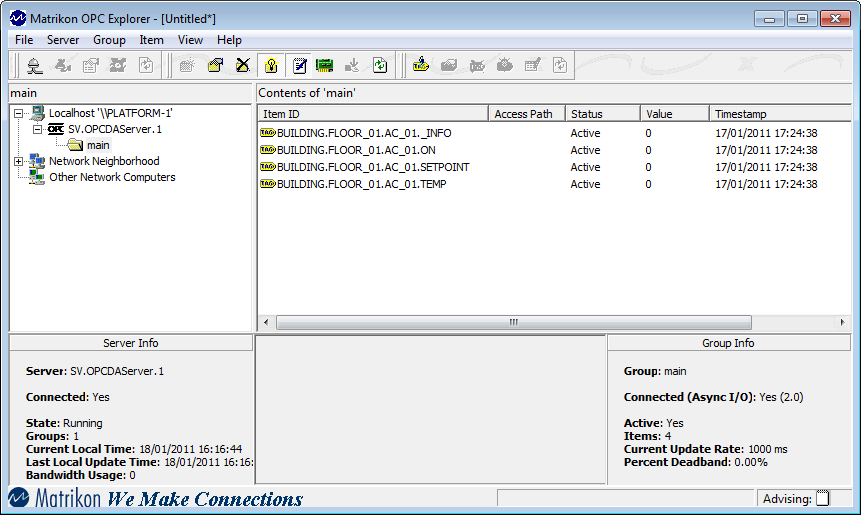
The following picture shows the the Matrikon OPC Explorer connected to OPC Server.  Show picture
OPC Server options
There are several configuration options that affect the operation of PcVue's OPC server. See the topic OPC DA server configuration.
Available properties of variables
In addition to the real-time value, PcVue exposes the following item properties for each of its variables. Those properties marked as R are read only, whilst those marked as R/W are read and write.
| Property | Text | Bit | Alm | Reg | R/W | Comment |
| AlarmLevel | Yes | |||||
| AlarmState | Yes | Binary weighted values - use in conjunction with a mask | ||||
| AlarmStateLabels | Yes | Binary weighted values - use in conjunction with a mask | ||||
| BinAttr | Yes | Yes | Yes | Yes | R/W | Binary attribute |
| CloseLabel | Yes | Yes | R | From the Associated Label | ||
| Description | Yes | Yes | Yes | Yes | R | |
| Domain | Yes | Yes | Yes | Yes | R | |
| ForceOffLabel | Yes | R | From the Associated Label | |||
| ForceOnLabel | Yes | R | From the Associated Label | |||
| Format | Yes | R | ||||
| HiControlLimit | Yes | R | Only if register has the Control property set | |||
| HiRange | Yes | R | ||||
| HiRangeLimit | Yes | R | Only if register has scaling enabled | |||
| HiValueLimit | Yes | R | ||||
| InvalidLabel | Yes | Yes | Yes | Yes | R | Only if register has the Control property set |
| LOControlLimit | Yes | R | ||||
| LoRange | Yes | R | ||||
| LoRangeLimit | Yes | R | Only if register has scaling enabled | |||
| LoValueLimit | Yes | R | ||||
| Nature | Yes | Yes | Yes | Yes | R | |
| OpenLabel | Yes | Yes | R | From the Associated Label | ||
| SecurityLevel | Yes | Yes | Yes | Yes | R | |
| Simulated | Yes | Yes | Yes | Yes | R/W | |
| TextAttr03 - 16 | Yes | Yes | Yes | Yes | R/W | Text attributes 3 to 16 |
| ThresholdHiValue | Yes | R/W | * | |||
| ThresholdHiHiValue | Yes | R/W | * | |||
| ThresholdHiHiHiValue | Yes | R/W | * | |||
| ThresholdHiHiHiHiValue | Yes | R/W | * | |||
| ThresholdLoValue | Yes | R/W | * | |||
| ThresholdLoLoValue | Yes | R/W | * | |||
| ThresholdLoLoLoValue | Yes | R/W | * | |||
| ThresholdLoLoLoLoValue | Yes | R/W | * | |||
| Units | Yes | R |
* Register threshold levels. The properties that are available for each variable will depend on the configuration of its threshold system.
Permission to write the value of item properties is dependent on other configuration settings. See the Settings topic in the Variables help book.
Changing the OPC server permissions
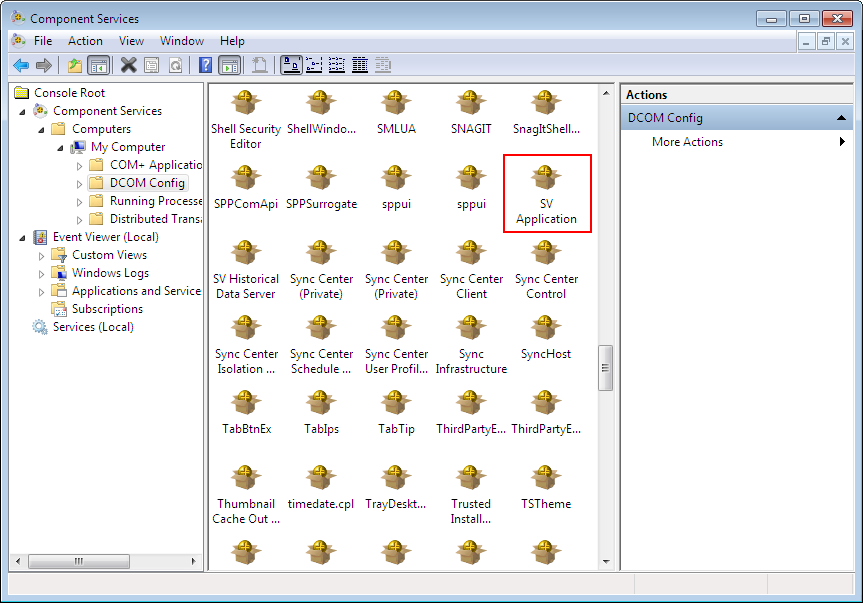
If you are using PcVue as a remote OPC server, you must change its permissions as you would with any other OPC server (Component Services\Computers\My Computer\DCOM Config). It appears in the DCOM configuration as SV Application. Show picture
For further details, see the Help book on Configuring Windows when Using a Remote OPC Server.