Using Cut, Copy and Paste with Variables and Branches
The cut, copy and paste tasks can be used on a single variable or an entire branch of the variables tree.
- If used on a single variable then any behaviors attached to the variable are included in the operation.
- If used on a branch, all sub-branches, variables and behaviors are included in the operation.
The combination of copy and paste allows you to rapidly develop the variables tree, particularly if it has a uniform structure.
The combination of cut and paste can be used to move or rename a variable or branch.
See the topic Using cut, copy and paste of variables with behaviors for important information about pasting variables with behaviors.
Reminder about the difference between copy and cut?
- Copy makes a copy of the selected variable or branch. It can be pasted any number of times.
- Cut makes a copy of the selected variable or branch. It can only be pasted once. After the paste, the variable or branch that was cut is deleted.
If you use cut and close the Application Explorer before using paste, the variable or branch that you have cut is not deleted.
What happens when I cut or copy and paste a variable?
When you cut or copy a single variable, the entire variable name including the branch appears in paste task in the task pane.  Show picture

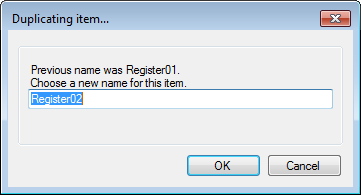
When you paste the variable, only the variable name is used - the branch is not included. A dialog will open suggesting a name for the duplicated variable. Show picture
What happens when I cut or copy and paste a branch?
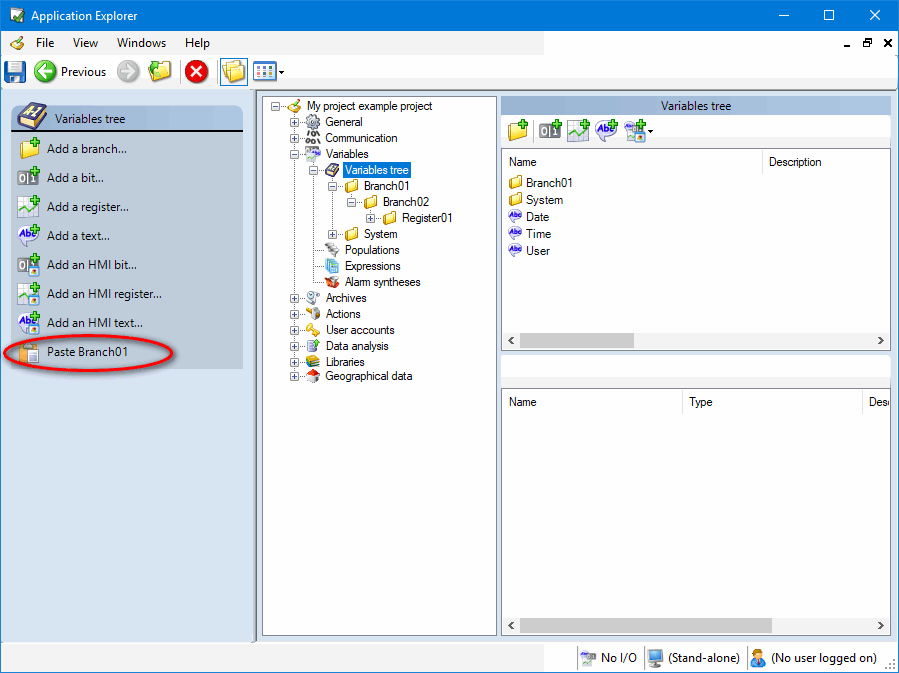
When you cut or copy a branch, only the branch name appears in paste task in the task pane. Show picture
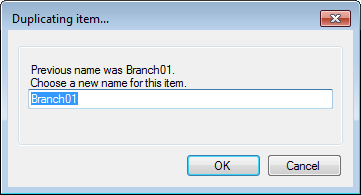
When you paste the branch, a dialog will open suggesting a name for the branch. Show picture
The paste task can take several seconds to complete if you are pasting complex branch with many sub-branches and variables.