Overview of Advanced Drawing Properties
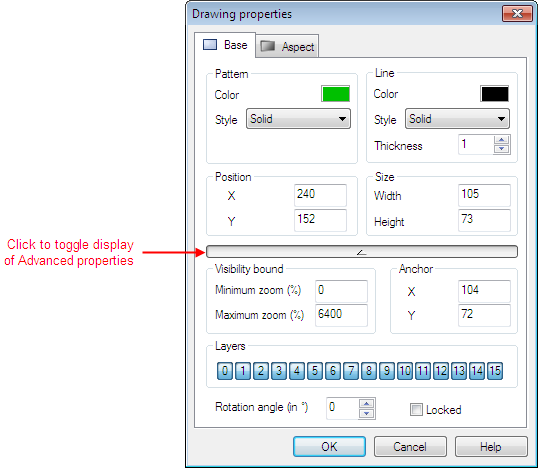
Most of the drawing elements support additional advanced properties that are not normally displayed in the Properties dialog. To display the advanced properties you can either:
- Select the Display.Advanced Mode command. The Advanced properties are displayed every time you display a drawing element’s properties.
- Click the down arrow button at the bottom of a Property box. The dialog will change to show the Advanced properties for that specific drawing element.
 Show picture