


Topic
[KB627]How to configure mapping using Application Architect

| Applies to:
PcVue version 10.0 SP1 onwards. |
||||||||
|
|
||||||||
| Summary:
How to map equipment variables with the Application Architect by calculating properties on condition. The appropriate syntax is explained in this article. |
||||||||
|
|
||||||||
| Details:
The syntax:
An example: Word Modbus TCP/IP frames length are limited to 125.
To do that with Application Architect:
|
||||||||
|
|
||||||||
|
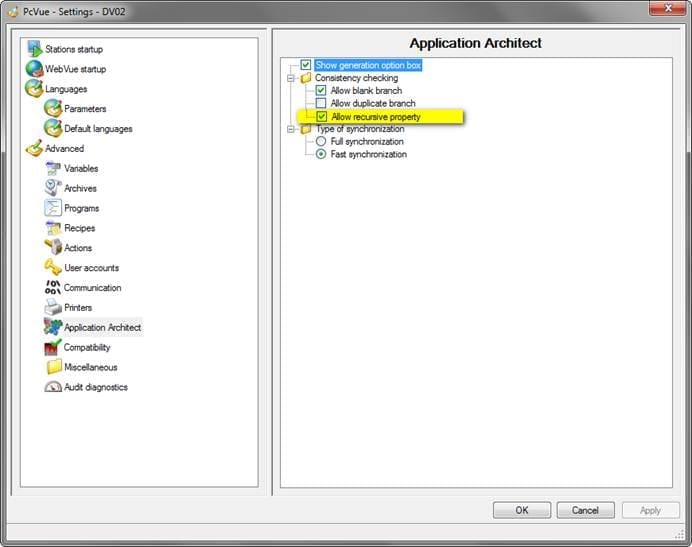
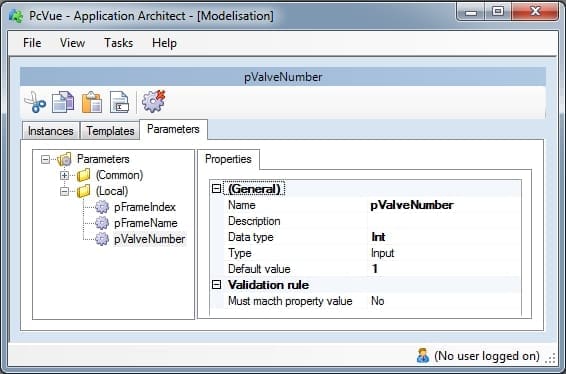
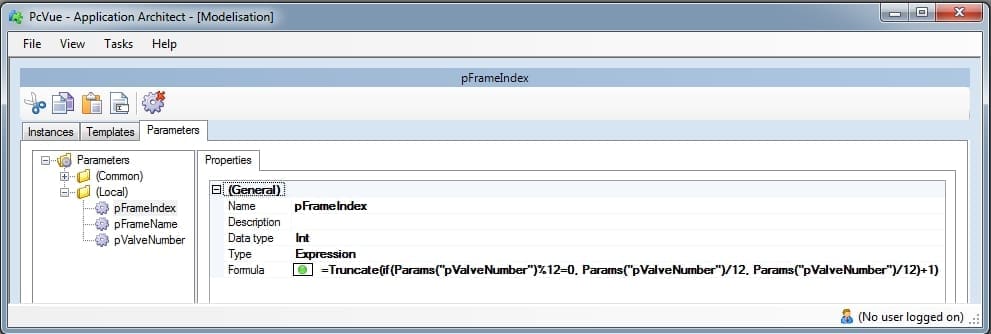 Formula: =Truncate(if(Params(“pValveNumber”)%12=0, Params(“pValveNumber”)/12, Params(“pValveNumber”)/12)+1)
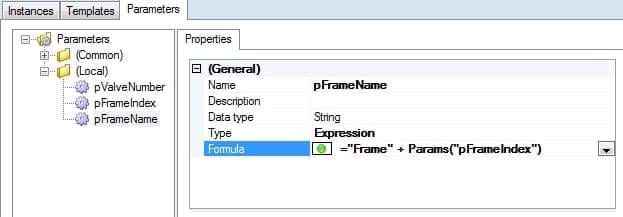
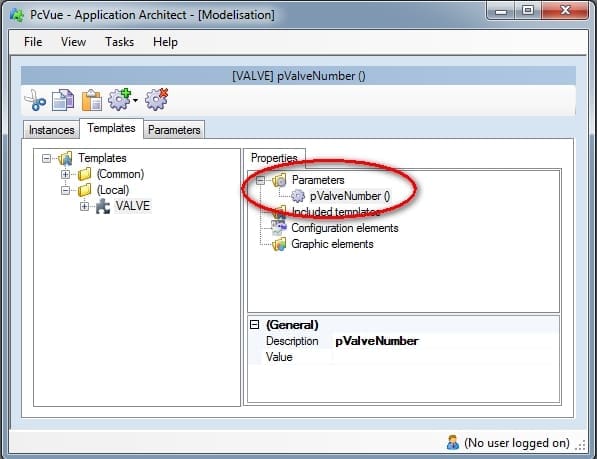
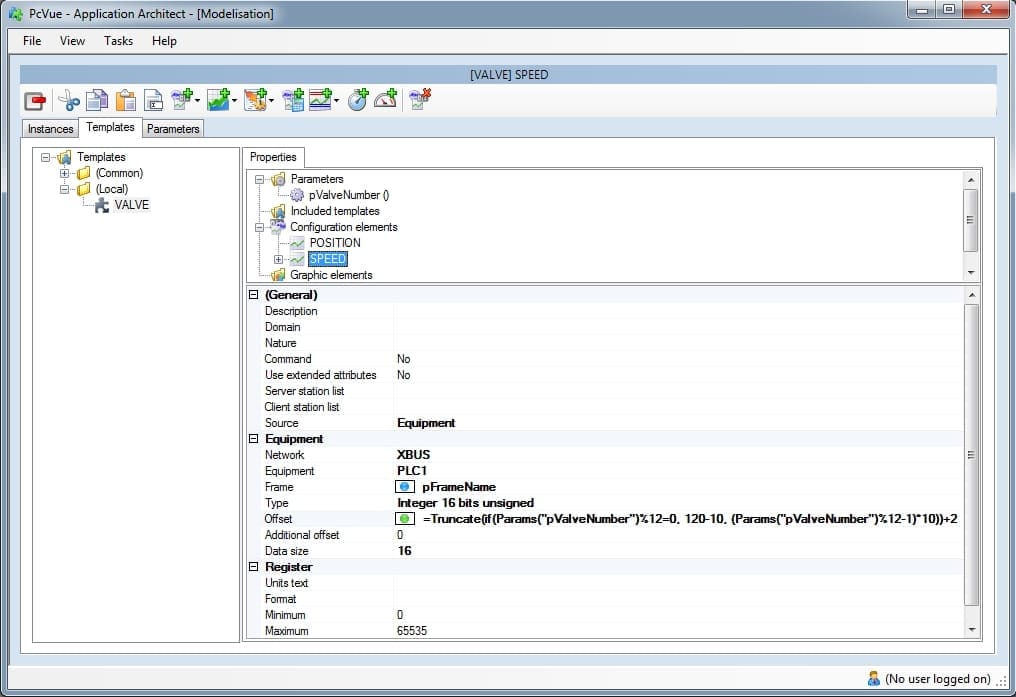 Offset = Truncate(if(Params(“pValveNumber”)%12=0, 120-20, (Params(“pValveNumber”)%12-1)*20))+2
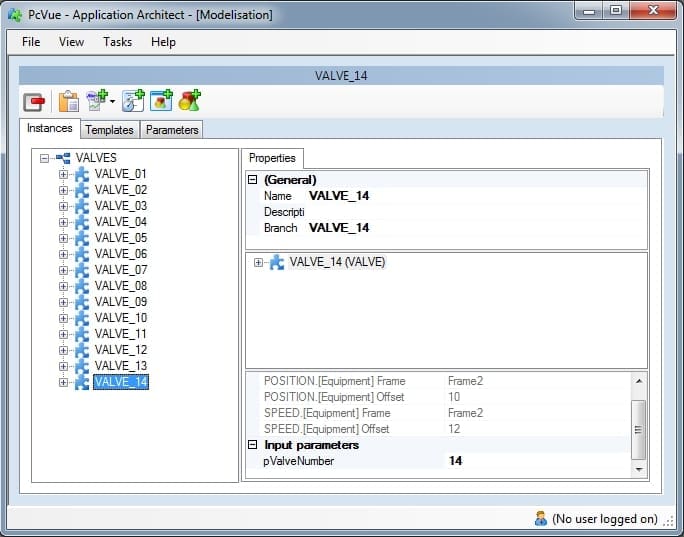
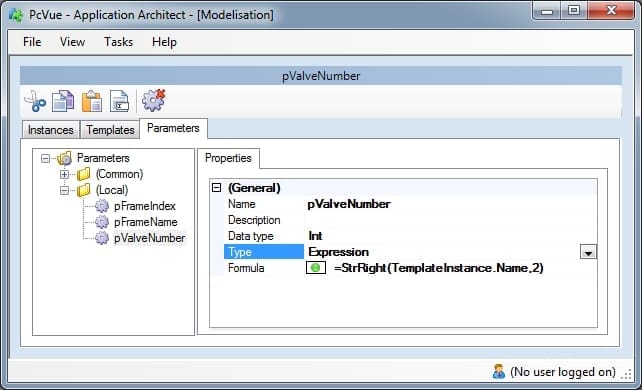
Created on: 11 Feb 2013 Last update: 13 May 2024