


PostgreSQL is “the world’s most advanced open-source relational database”. It’s made by PostgreSQL Global Development Group.
Unfortunately, PostgreSQL like some open source projects such as Maria DB does not offer a ready to use ADO.NET provider.
Once the binaries are obtained it is possible to install a third party provider with the tool : “ProviderInstaller.exe”.
To be detected by PcVue, each ADO.NET provider must be installed in the Global Assembly Cache (GAC) of the .NET framework and referenced in the machine.config file. The tool “ProviderInstaller.exe” is there to facilitate this task.
— How to install PostgreSQL ADO.NET Provider —
1. Download Attachment “ProviderInstaller – PostgreSQL.zip”
2. Extract “ProviderInstaller – PostgreSQL.zip” to “ProviderInstaller – PostgreSQL”
3. Open CMD prompt as Administrator
4. Change directory to be in “ProviderInstaller – PostgreSQL” directory
cd “C:\Users\arde\Downloads\ProviderInstaller – PostgreSQL\ProviderInstaller – PostgreSQL”
5. Run following command:
ProviderInstaller.exe /install
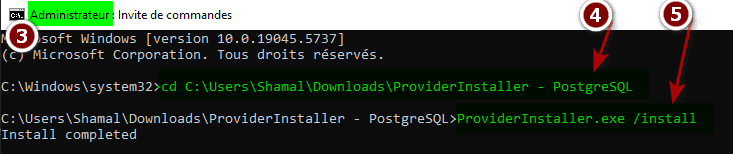
6. Restart your computer and then PcVue
— How to configure a PostgreSQL connection in PcVue —
1. At PcVue side, with Application Explorer, navigate to General > Data connections
2. Add a new SQL Connection as below
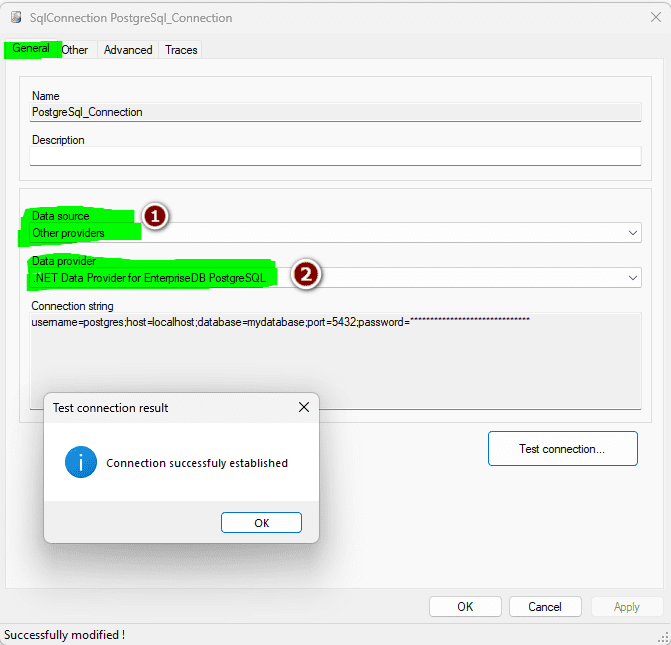
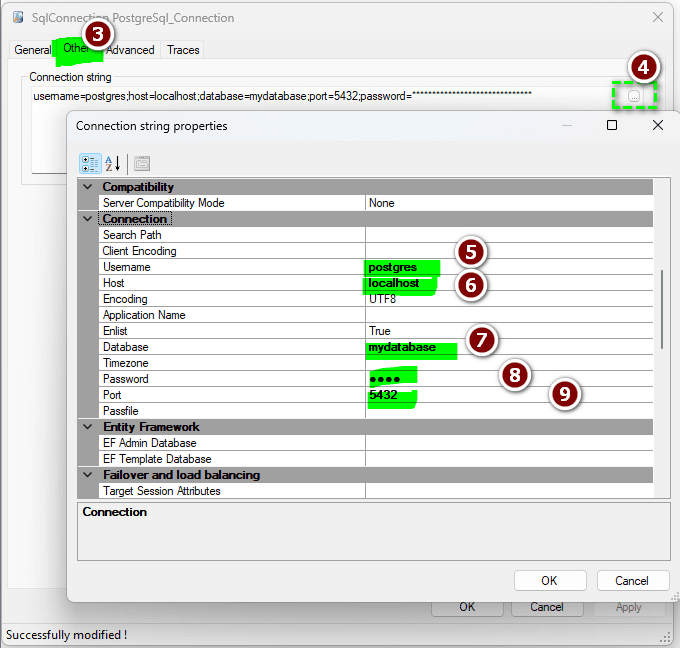
Fill these informations in according to your database connection informations.
Like that you can get a successful connect to your postgres database by clicking on test connection button.
— Some usuals Sql queries —
.Create a table
CREATE TABLE MyTable (col1 INT)
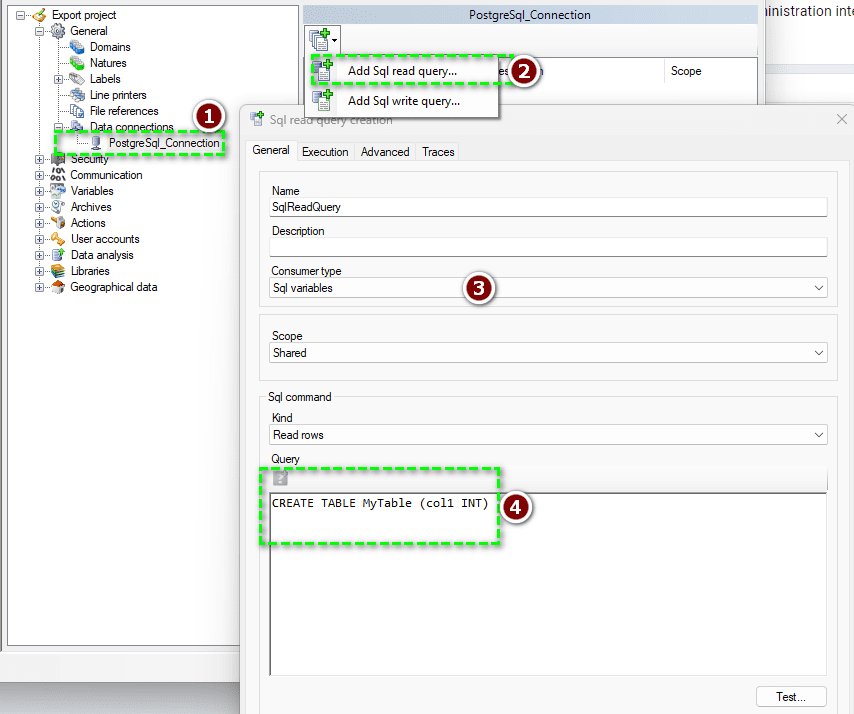
. Insert a value
INSERT INTO MyTable (col1) VALUES (1)
. Display table content
SELECT * FROM public.mytable
| Attached file | Description |
| ProviderInstaller – PostgreSQL.zip | ProviderInstaller – PostgreSQL |
Created on: 03 Jul 2025 Last update: 28 Jan 2026