


more quick actions
minimize quick actions







| Applies to:
PcVue version 6.04 onwards. |
||
|
|
||
| Summary:
This article describes how to use SCADA Basic to control the opening of windows in selected regions. |
||
|
|
||
| Details:
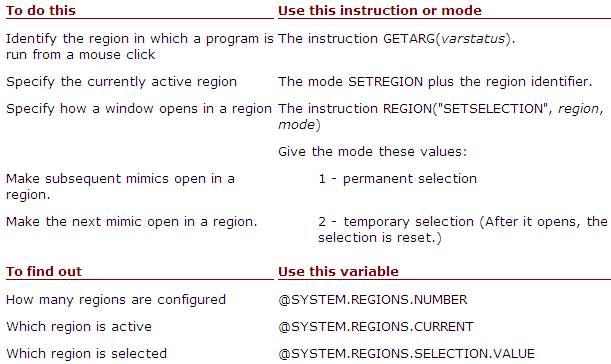
There are 2 SCADA Basic instructions for opening a window in a particular region:
with following modes:
The REGION instruction has these further modes:
(For descriptions of these instructions, see the SCADA Basic Help documentation.) Using the instructions
|
||
|
|
||
|
Created on: 05 Nov 2010 Last update: 12 Dec 2024