









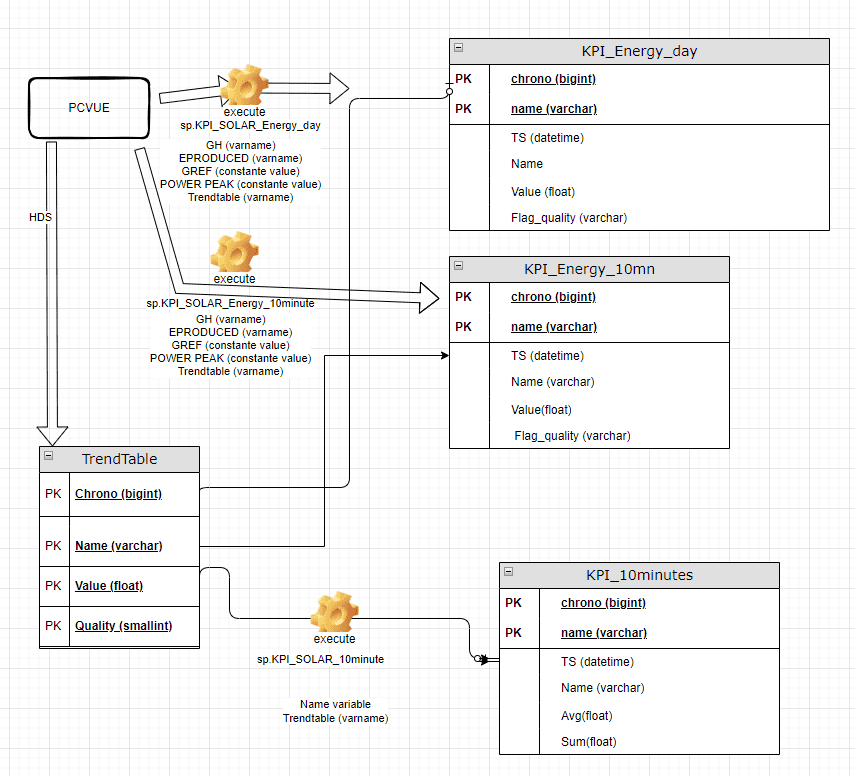
Data flow principle:
PcVue collects data from equipment and stored directly in the SQL database through HDS.
UDC connection execute stored procedure to insert data in KPI table and read data from Trendtable as below:
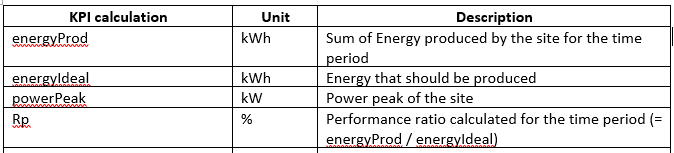
KPI list:
The system is able to give the following performances indicators.
Prerequisite:
Having historical data for :
◦ Global horizontal irradiance of PV site
◦ Energy produced of PV site
How to integrate KPI?
To use this project, you will need to :
1/ Before starting the project, from KPI_SOLAR_PACKAGE_v2 folder in PcVue copy paste DataConnectionsConf in C folder in your project
2/ Copy the mimic KPIConfiguration and the mimic template
3/ Start the project and in AA Import KPI model from AA (AA_KPI_import.xml)
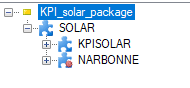
4/ In AA create instance named KPISOLAR
5/ In SQL open query script “scriptSQLKPI.sql”
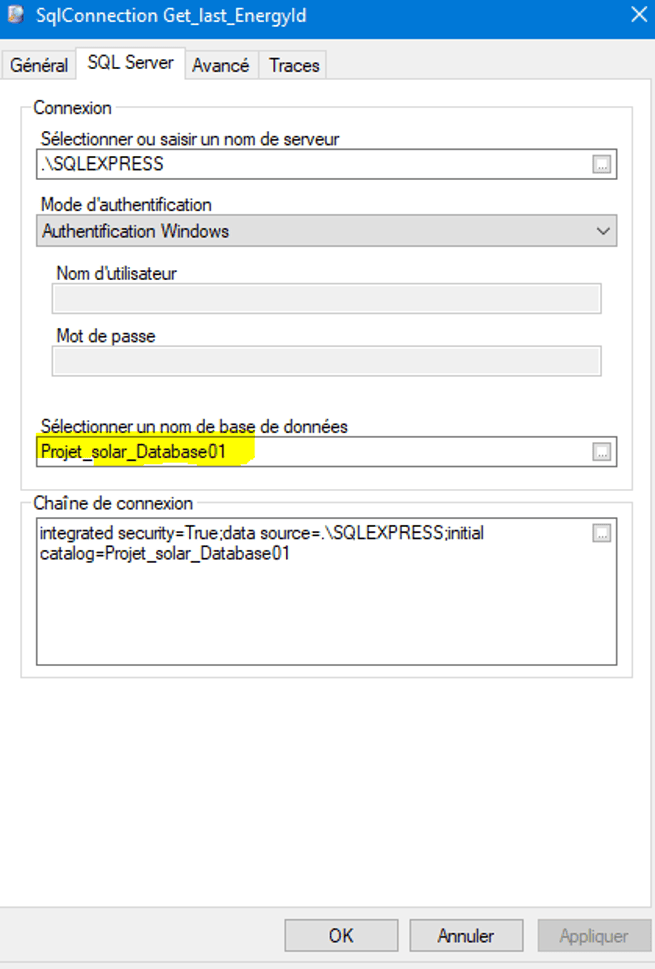
6/ Change database name before executing the script according to your HDS database name
7/ In AE configure SQL connection with the appropriate database name
8/ Stop and Start the project and open the window Dashboard.
9/ Enter Gh varname and Energy produced varname and click on the Execution button
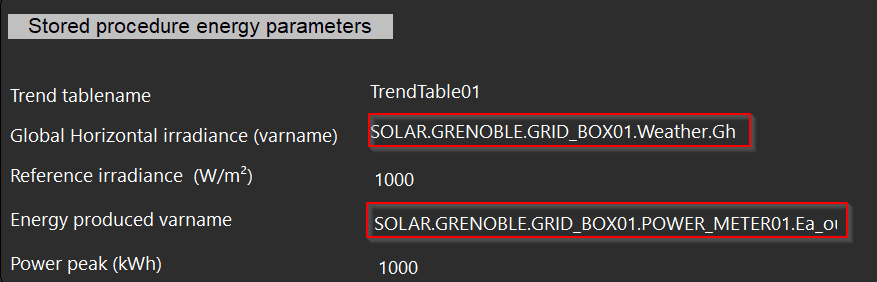
10/ By default KPI results will be refreshed every 1 minute
Created on: 18 Sep 2026