


more quick actions
minimize quick actions






Topic
[KB274]Final blank page with on line printing using network printers

| Applies to:
PcVue all versions. |
||
|
|
||
| Summary:
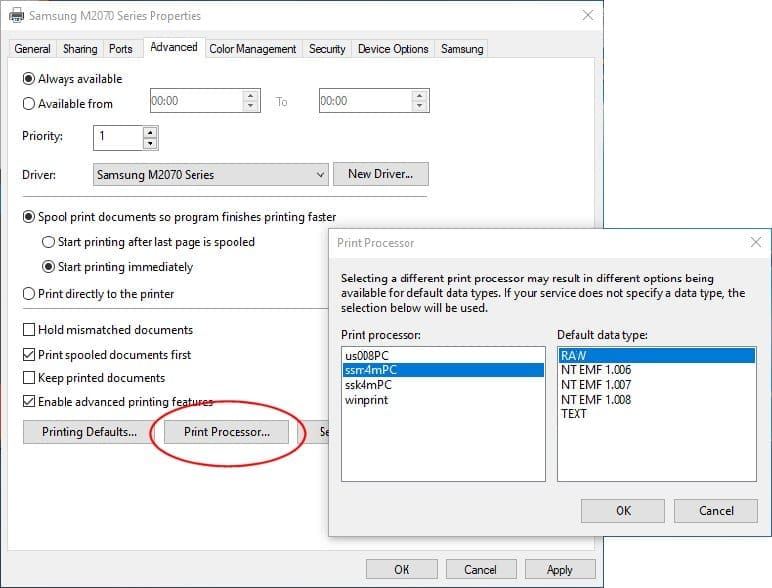
When printing to a network printer, a blank page may be printed at the end of the print job. This can occur if the server has Default Datatype set to RAW[FF auto] in the printer details on the server. |
||
|
|
||
| Details:
PcVue online printing uses the raw text printing technique. If using a network printer check the Default Data Type is set to ‘RAW’: |
||
|
|
||
|
Created on: 17 Dec 2010 Last update: 13 May 2024