


more quick actions
minimize quick actions







| Applies to:
PcVue 11.1 onwards |
||
|
|
||
| Summary:
You can customize the lables for the time information display of a Trend Viewer. |
||
|
|
||
| Details:
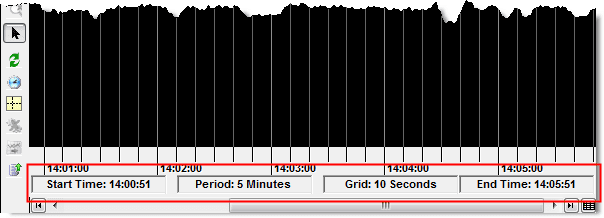
The lower border of a Trend Viewer can display additional time information. This display is enabled by selecting the Display Time Information option in the Display tab of the Trend Viewer configuration dialog.
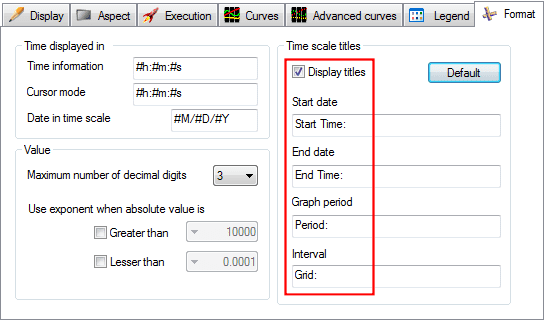
The default labels for the time fields are not always suitable and can be customised using the Time Scale Titles in the Format tab. The labels are bilingual.
|
||
|
|
||
Additional Info
|
Created on: 21 Nov 2016 Last update: 13 May 2024