


more quick actions
minimize quick actions







| Applies to:
PcVue all versions. |
||
|
|
||
| Summary:
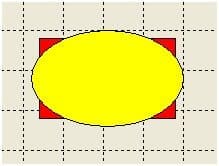
If you try to click to select the Red rectangle PCVUE will select the Yellow circle. |
||
|
|
||
| Solution:
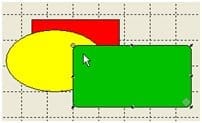
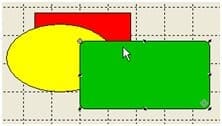
Of course you can use the Mimic Explorer but the fastest way is to use the TAB key. Actually the TAB key select each graphical object matching with the mouse position. Try to press the TAB key in these 2 different situations (not the same mouse position) and see the difference.
|
||
|
|
||
|
Created on: 13 Apr 2015 Last update: 13 May 2024