


more quick actions
minimize quick actions






Topic
[KB301]Applicom – OPC Redundancy (only available from V3.6.0, all cards & messaging)

| Applies to:
PcVue all versions. |
||
|
|
||
| Summary:
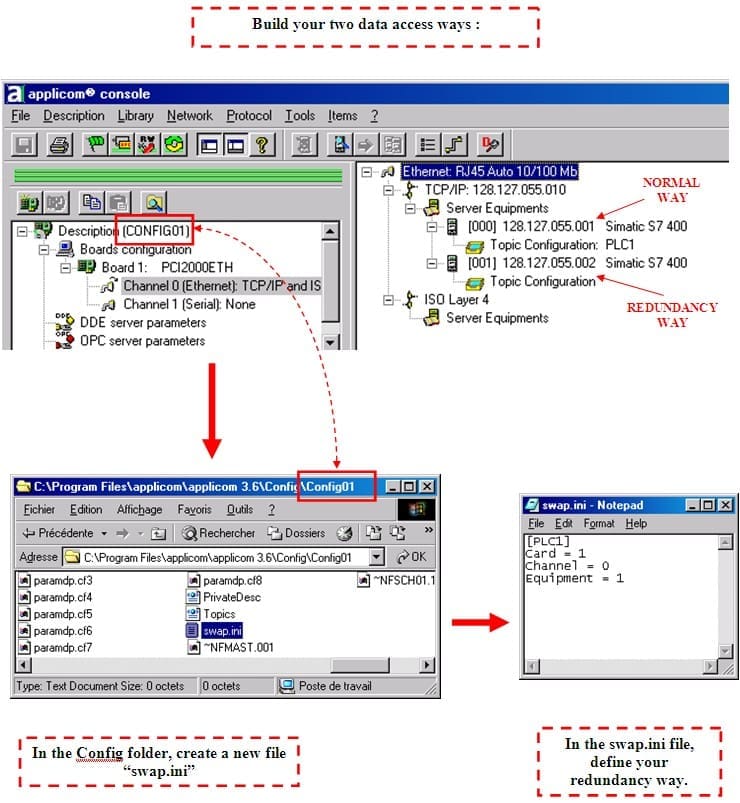
You need to change the target device during the process . Use OPC redundancy (swap.ini file & EQU_CHANGE item). |
||
|
|
||
| Details:
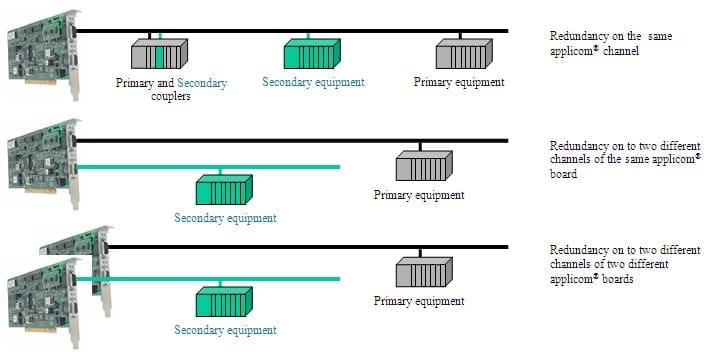
Benefits:
Board(s) must imperatively be located in the same computer.
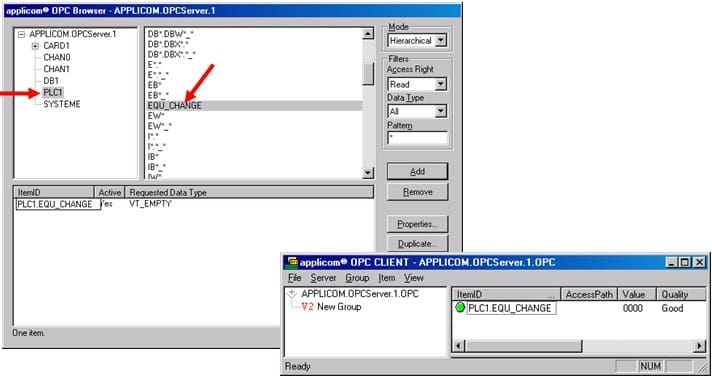
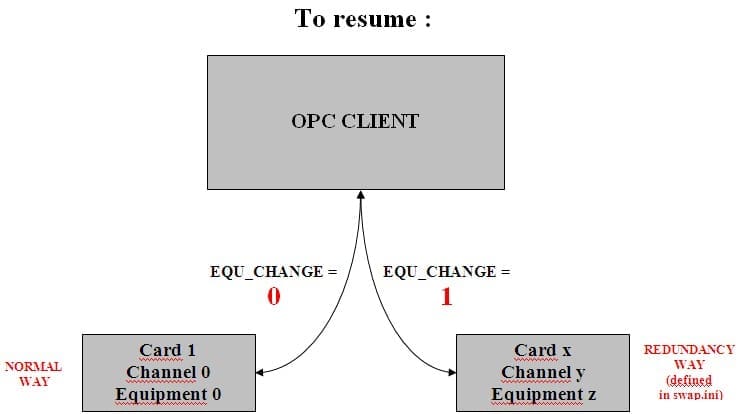
After a PcInit, in your OPC client, you’ll see a “EQU_CHANGE” ITEM in relation with your TOPIC (PLC1 in this example). You have to use this ITEM to choose your way (NORMAL when value is “0” or REDUNDANCE when the value goes “1” ).
|
||
|
|
||
|
Created on: 17 Dec 2010 Last update: 13 May 2024