Deployment overview
This book explains the options for deploying PcVue.
Deployment is the process of allocating roles to workstations and servers, setting-up a web server and client applications (web or desktop apps) to fulfill the system requirements in a given target system.
For the purpose of this topic, we will consider that PcVue has the following main functions.
- Data acquisition - The collection of real-time data, representing process or calculated values, using a communication protocol such as Modbus, OPC UA...
- Alarms - Real time alarm management.
- Historical data recording - The recording of real-time data and alarms so that it can be accessed at a later time by either PcVue itself or a third party application.
- HMI - Human Machine Interface. The graphical interface that is the presentation layer and enables operators to interact with the monitored system.
- Client/server networking - The mechanism by which PcVue distributes real-time and historical data between stations in networked architectures.
- Web server - Components used to interface PcVue core architecture with web and mobile clients.
- Interface to 3rd party systems - Such as CMMS, GIS, ERP, MES...
Functions and roles allocation cannot be achieved independently from the licenses. For more information about licensing, see the book about Licensing in the Installation section.
This book includes information about:
- Reference architectures
- List of applications, tools and services
- Starting PcVue for the first time and creating a project
- Protecting and deploying a project
- Projects and libraries, and a guide to project migration
- Central project management
- Running PcVue as a Windows Service
- Using RDS to host client stations - Deploying PcVue using an RDS host.
- Web server - Web Deployment Console overview and Deploying Web clients and Mobile Apps.
- Hardening guide
- Command line arguments
- Firewall configuration guideline
- Logging and tracing
- Secure decommissioning
Architectures
The typical architectures are as follows:
- Standalone - All SCADA functions are incorporated into a single station.
- Multi-station architecture - The SCADA functions span across two or more stations in a client/server architecture.
- High availability architecture - The SCADA functions and roles are distributed to offer better resilience and scalability. Multi-station deployment includes the following particular scenarios.
- Data acquisition redundancy - Two or more stations are configured as redundant (hot standby).
- Historical data redundancy - Two or more stations are configured as redundant (hot standby).
- Mutualized servers.
- Three-level architecture - Using one or more stations as a gateway
- Engineering station with version management
- Web based - All-in-one deployment or Network isolation and DMZ.
Roles
The architectures above require allocation of the following roles:
- Data acquisition
- Communication with field devices,
- Real time data and alarm production,
- Serves real time data and alarms to other stations.
- Historical data
- Consume real time data and alarms produced by other stations,
- Handles data storage, the recording and replay of historical data,
- Manages connections to RDBMS,
- Serves historical data to other stations.
- Web & Mobile back end
- Act as a gateway to provide data to the web server.
- Web server
- Runs Microsoft Internet Information Server,
- Hosts PcVue web services required to serve the web & mobile applications,
- Consume real time data, alarms and historical data provided by the web & Mobile back end station,
- Serves Web and mobile clients including WebVue clients, TouchVue & SnapVue mobile applications, the WebScheduler and the Web Services Toolkit clients.
- Gateway
- For the secure transfer of data between 2 networks
- Consume real time data, alarms and historical data produced by other stations on one network,
- Serves real time data, alarms and historical data to stations on another network.
- HMI
- Display mimics, graphics, alarm viewer, log viewer, trend viewer... to the user.
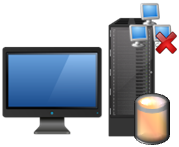
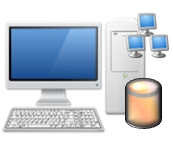
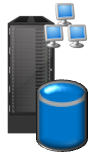
Depending on the combination of roles, PcVue stations are better deployed on a desktop operating system or a server operating system. See the table below for more information.
Architecture building blocks
PcVue is available as the following building blocks.
| Building block | Typical roles | Typical deployment mode |
|
Standalone station
|
|
|
|
Client station
|
|
|
|
Thin client
|
|
|
|
Data acquisition server
|
|
|
|
Historical data server
|
|
|
|
Web & Mobile back end server
|
|
|
|
Web server
|
|
|
|
Web clients
|
|
|
|
Engineering station
|
|
|
|
File server for central project management
|
|
|


Further information in the help
Client/Server networking in general - See Overview of networked applications in the Application Explorer book.
Client/Server networking high availability - See Overview of redundant configurations in the Application Explorer book.
Other related topics: